


Connected cameras make it easier to check a driveway, entrance, backyard, or garage from a phone. Before buying, homeowners need to understand what “WiFi” means and whether the home network can support cameras in the right places.
Most WiFi security cameras in Fort Myers send video through the home’s wireless network, but many still require a nearby power outlet. They are different from fully wire-free battery or solar cameras. Let’s talk about it and clear up confusion.
What Are WiFi Security Cameras?
A WiFi camera uses a wireless network to send live video, alerts, and recordings to an app, recorder, or cloud service. It usually avoids the data cable required by a traditional wired camera, although it may still use a power cord.
A WiFi model may be wireless for data but wired for power. A wire-free camera generally uses a rechargeable battery or solar panel. A wired Power over Ethernet, or PoE, camera receives power and data through one network cable.
Knowing the difference prevents homeowners from choosing cameras that cannot be powered or connected reliably in the intended location.
Benefits of WiFi Security Cameras for Fort Myers Homes
WiFi systems offer flexible placement when running a data cable would be difficult. Compatible cameras may provide live viewing, motion notifications, two-way audio, night vision, and access from a phone, tablet, or computer.
They may suit finished homes and detached garages within network range. At DigiFloridaCCTV, we install systems with mobile viewing and options without monthly monitoring fees.
What to Check Before WiFi Camera Installation
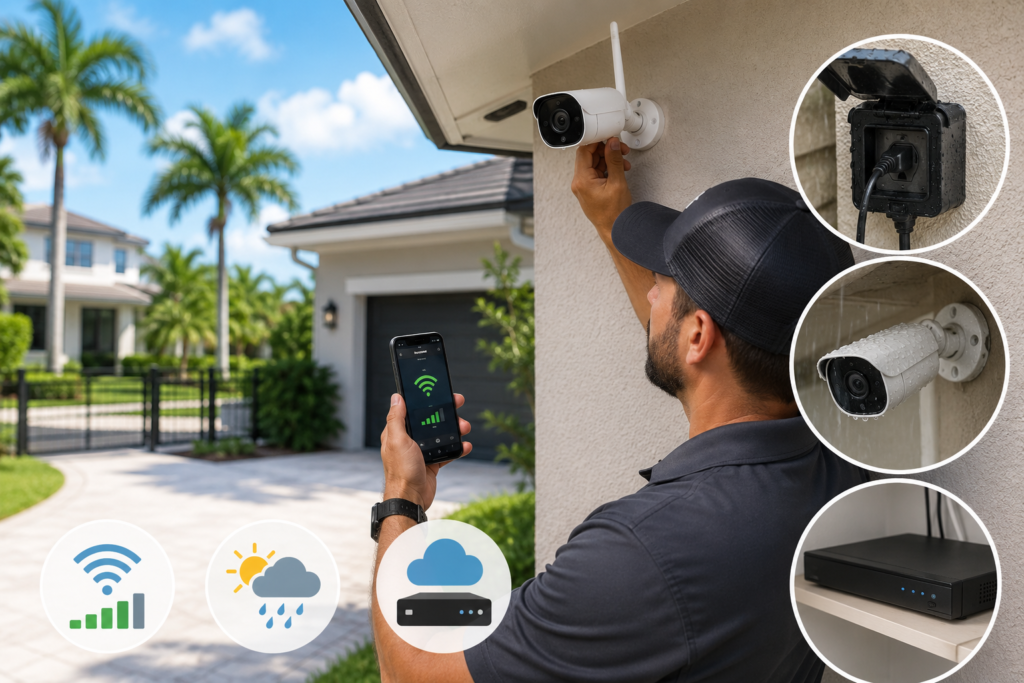
WiFi Coverage
A strong signal beside the router does not guarantee stable coverage at a driveway, pool enclosure, side gate, or detached structure. Exterior walls, distance, and metal features may weaken it.
A professional WiFi camera installation should include signal testing at each mounting point. A mesh access point, network adjustment, or wired camera may be better for weak areas.
Power and Weather Exposure
Look for protected power access near each camera. Extension cords through windows or exposed areas are not a suitable permanent setup.
Outdoor home security cameras in Fort Myers should be selected and mounted for heat, humidity, rain, and strong sunlight. Covered eaves, drainage, glare, and direct exposure affect performance.
Storage and Bandwidth
Cloud recording may use internet bandwidth and require a subscription. Other systems record to a local DVR, NVR, memory card, or hub. Ask whether local recording continues during an internet outage.
Best Placement Spots for WiFi Cameras
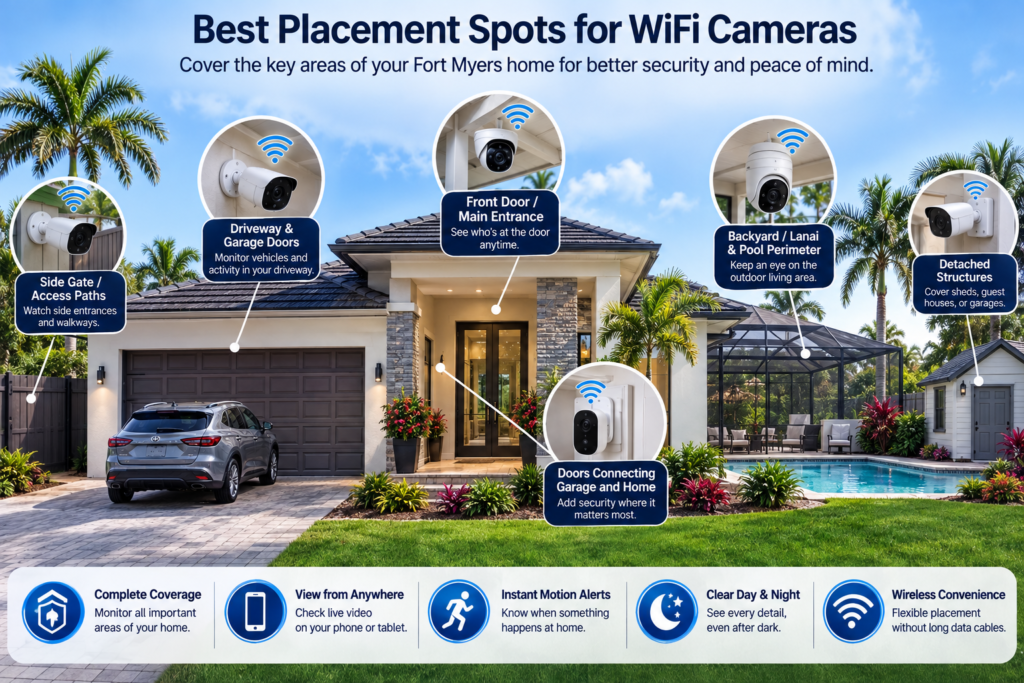
Many Fort Myers homes benefit from coverage at:
- The front door and main entrance
- The driveway and garage doors
- Side gates and access paths
- The backyard, lanai, and pool perimeter
- Doors connecting the garage and home
- Detached structures within network range
A camera should capture useful detail. Height, angle, lighting, landscaping, and afternoon sun all influence the result.
WiFi Cameras vs. Wire-Free vs. Wired Systems
| Camera Type | Power | Data Connection | Best Suited For |
| WiFi | Usually wired power | Home WiFi | Placement near power and reliable WiFi |
| Wire-free | Battery or solar | Usually WiFi | Temporary or hard-to-wire locations |
| Wired or PoE | Cable | Ethernet or recorder cable | Permanent multi-camera coverage |
The best WiFi security cameras for home use are not automatically best for every location. WiFi may suit a front porch with strong coverage, while a wired system may be more dependable for several exterior cameras. Battery models reduce wiring but require charging or sufficient solar exposure. Browse the camera types we install.
Why Professional Installation Matters
Professional wireless camera installation begins with the property rather than a boxed camera count. Signal strength, camera height, power, blind spots, night visibility, recorder placement, and remote access should work together.
Use strong, unique passwords, keep camera firmware and apps updated, secure the router, and remove access for users who no longer need it.
At DigiFloridaCCTV, we have served Southwest Florida since 2013 and provide free on-site estimates, camera placement planning, network setup, remote-viewing configuration, and local support.
Frequently Asked Questions
Q: Do WiFi security cameras need internet to work?
Internet is generally needed for remote viewing, app alerts, and cloud features. Some cameras may continue recording locally during an outage, depending on the equipment.
Q: Can WiFi cameras work without a monthly subscription?
Yes. Some systems support local recording and remote viewing without recurring monitoring fees. Confirm whether the selected app or cloud storage has a separate charge.
Q: Are WiFi security cameras secure from hacking?
No connected device is completely risk-free. Strong passwords, current firmware, secure router settings, limited user access, and reputable equipment help reduce exposure.
Q: How many cameras does a Fort Myers home need?
The number depends on entrances, property size, detached structures, and required views. A site assessment provides a better answer than a standard package.
Get a Free WiFi Camera Installation Estimate in Fort Myers
DigiFloridaCCTV installs WiFi, wire-free, and wired home camera systems across Fort Myers and Southwest Florida. Request a free on-site estimate to compare camera types, test coverage, and plan a system around your home. If you are looking for security camera solutions for a business, learn more about commercial security camera installation in Fort Myers and what local businesses should consider before installation.